Kellet blocks porn on your Windows PC, along with anything else you tell it to: gambling, social media, particular sites and apps, even a single page. It also checks the images on your screen, so an explicit picture on a page you’re otherwise allowed to see gets blurred.
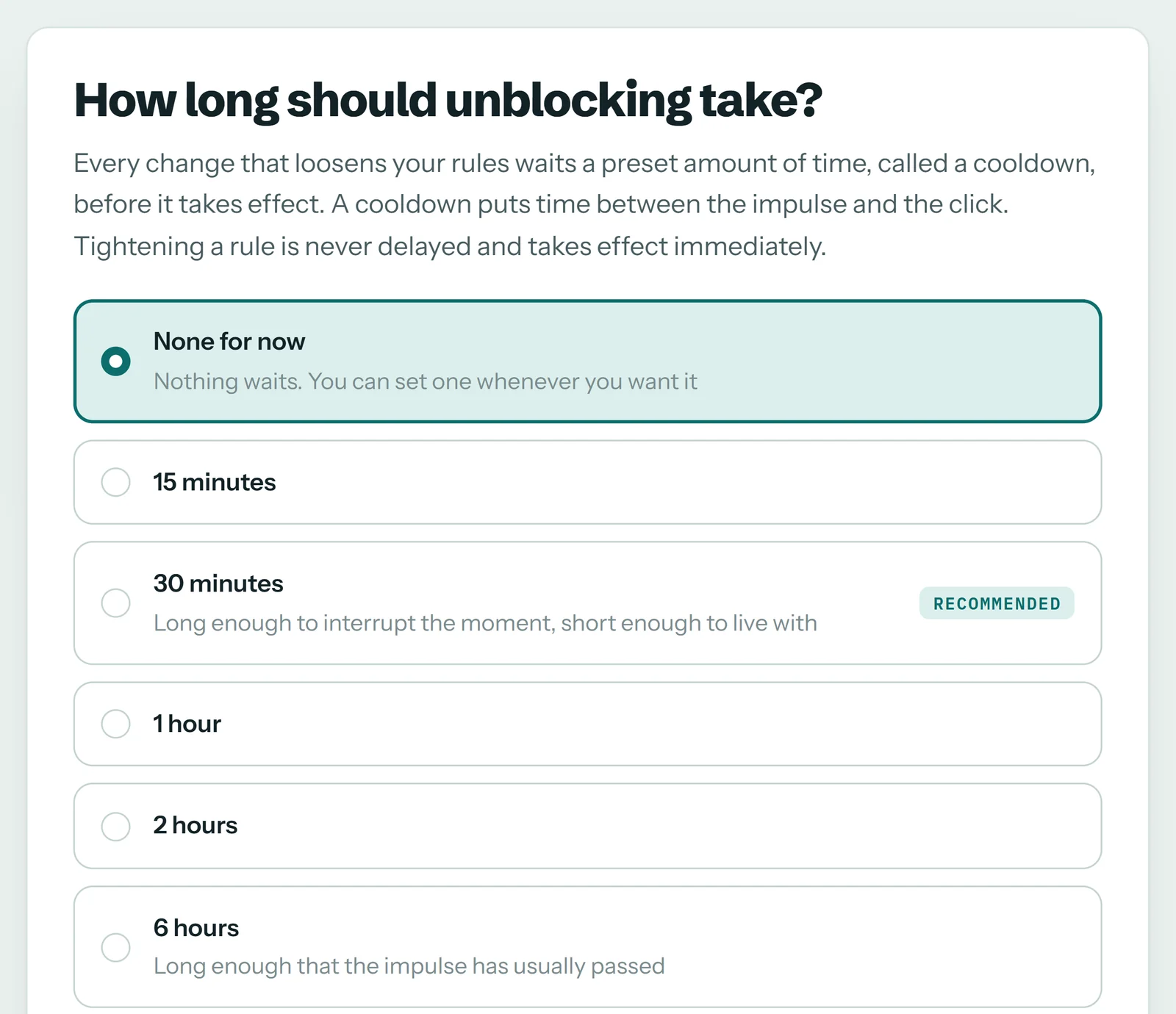
Anything that makes Kellet stricter happens the moment you save it. Anything that makes it looser, like unblocking a site or turning a schedule off, goes into a queue and waits for your cooldown to run out. You choose how long that is, from 15 minutes to 3 days, and you choose it before you need it. The moment you most want to unblock something is rarely a good time to decide, so Kellet gives you time to think better of it.
New accounts start with no cooldown, so you can get your rules right before anything has to wait. Until you set one, loosening a rule applies as soon as you make it, the same as tightening one.
Setting up
When you first sign in, Kellet takes you through five steps. You can do them in any order, and if you leave partway, Finish setting up in the account menu picks up where you stopped. The setup walkthrough goes through each screen.
The first step asks what to block. It shows five switches (Adult content, Gambling and betting, Proxies and VPNs, Social networks, and Dating apps) with only adult content turned on. The Rules page has the full list and everything else, and you can change any of it later.
The second asks what should happen when something is blocked: show a blocked page, send the browser somewhere else, or close the tab or the whole browser. It also asks whether there should be any way past the blocked page, and what to do with an explicit image on a page you’re allowed on. Each question has a recommended answer marked.
The third step is your cooldowns, and it’s the one that decides whether Kellet works at all. Setup recommends 30 minutes for unblocking. Removing Kellet from a device has a cooldown of its own, from none up to a week. Kellet won’t pick either for you, and anything over an hour asks you to confirm, because once it’s set, shortening it means waiting out the length you chose.
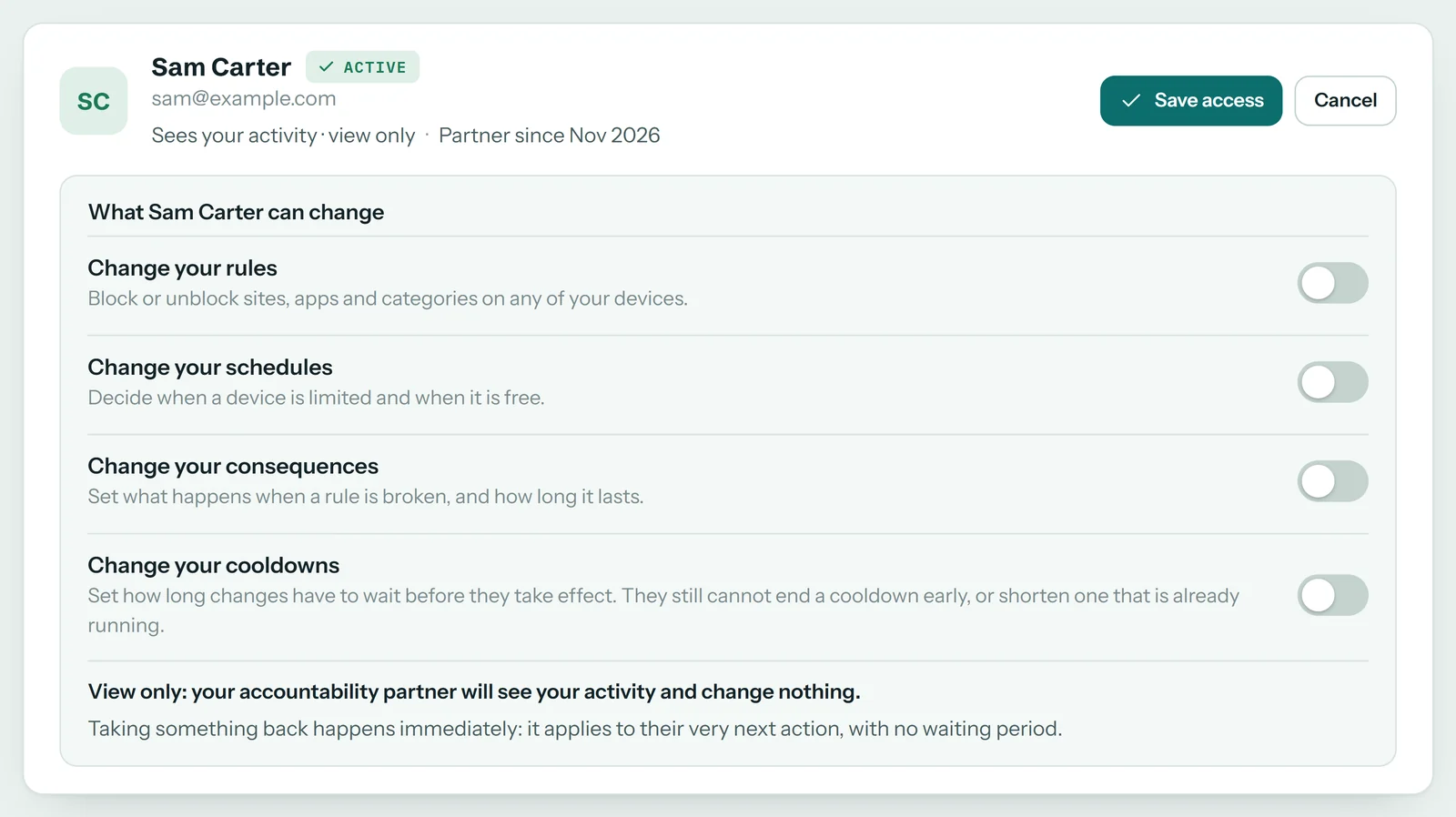
The fourth step invites a partner. It’s optional, and a partner you invite here can see your activity but can’t change anything unless you say so.
The last step installs Kellet on your PC. It comes last so the PC starts enforcing what you’ve just chosen the moment it connects, instead of running on defaults until you get round to your rules. Keep the page open and it will say something like Living room PC is protected when the PC checks in.
Our advice for the first few days is to keep the rule cooldown short. You’ll probably want to adjust something early on, such as a category that catches a site you need for work, and with a short cooldown fixing it costs you minutes instead of a day. Raise it once everything is working the way you want. Raising it applies right away.
What gets blocked
Rules apply to every device on your account, with one exception: apps.
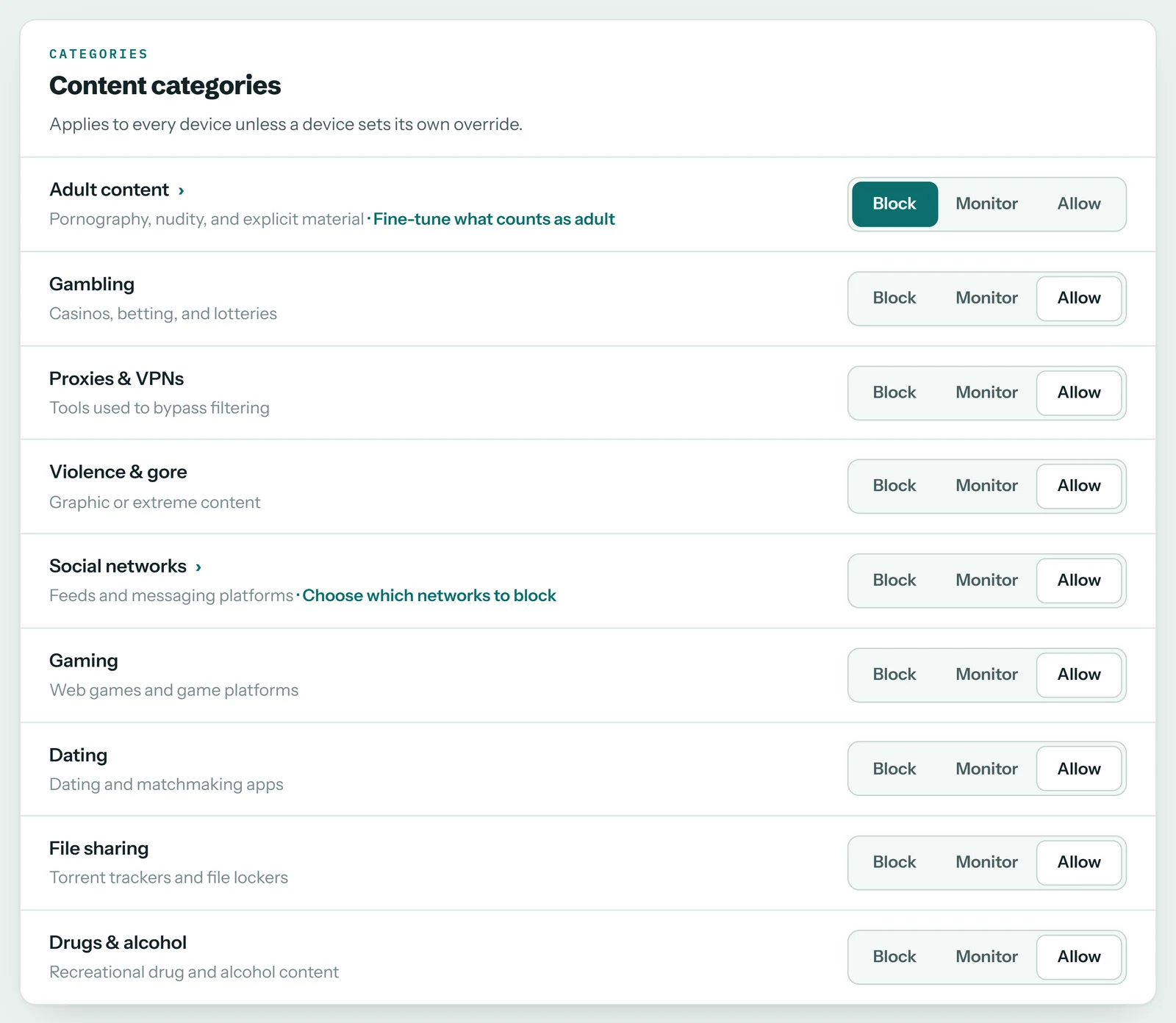
Categories cover whole groups of sites: Adult content, Gambling, Proxies & VPNs, Violence & gore, Social networks, Gaming, Dating, File sharing, and Drugs & alcohol. Each one can be set to Block, Monitor or Allow. Social networks can also be picked one at a time, so you can block TikTok and Instagram and keep YouTube.
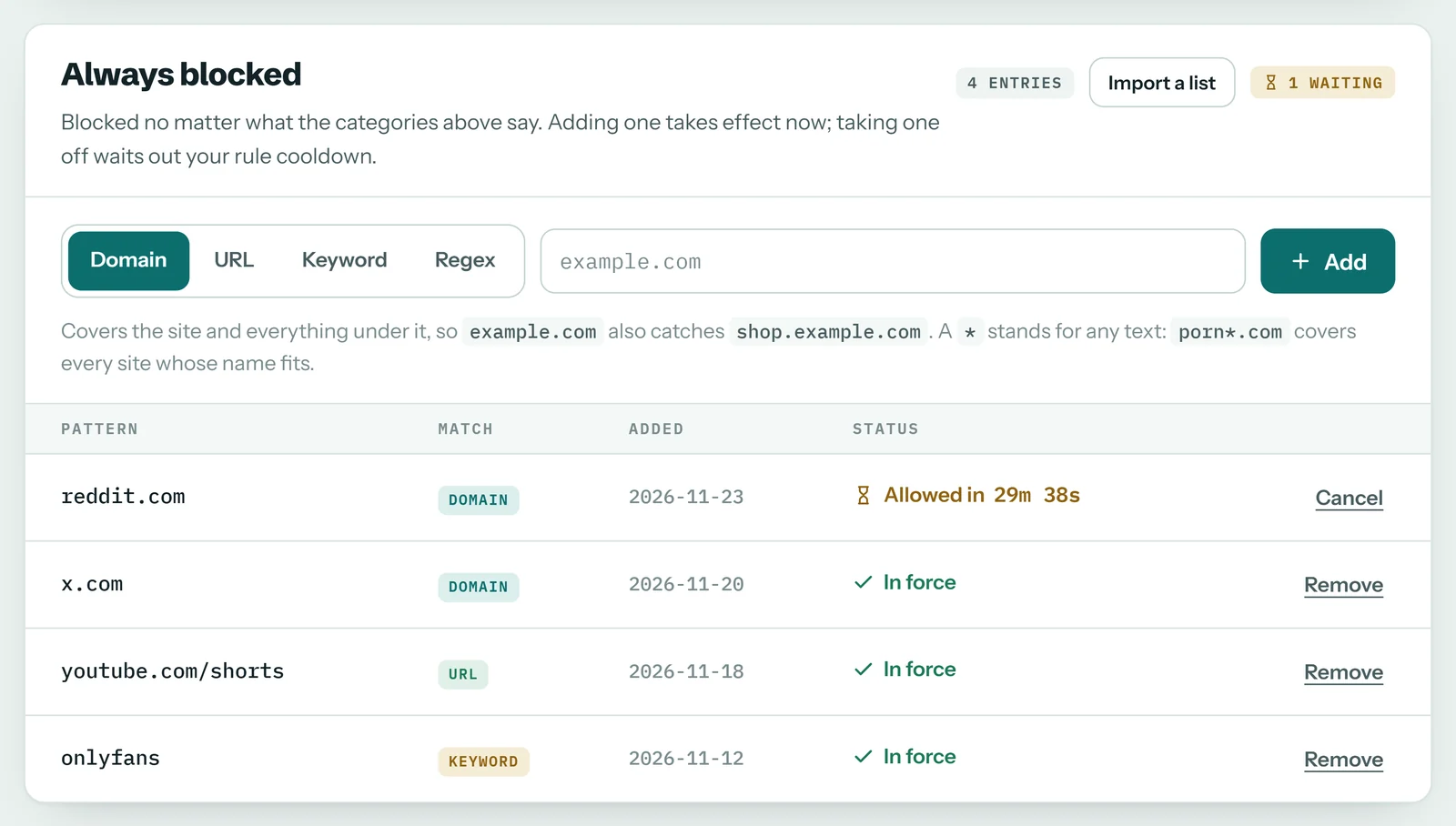
For anything a category doesn’t cover, add it to Always blocked. Typing reddit.com as a Domain blocks the whole site, old.reddit.com included. You can also block a single page as a URL, any address containing a word as a Keyword, or a regular expression if you already write them. If you’re coming from Cold Turkey, you can import its block list as it is. Blocking a specific site, word or app has the details.
If a site you blocked still loads, check how you entered it. reddit.com as a URL blocks only Reddit’s home page. As a Domain it blocks all of it.
Apps are blocked one device at a time, from the device’s Apps tab. A blocked app is closed whenever it starts.
Under Adult content, Fine-tune what counts as adult sets seven kinds of image separately for the on-screen checks, including swimwear, lingerie and bare male chests. Force SafeSearch is on from the start, which means strict SafeSearch on Google, Bing and DuckDuckGo and Restricted Mode on YouTube. Block Shorts and Reels blocks YouTube Shorts and Instagram and Facebook Reels while leaving the rest of those sites working. That one is off until you turn it on.
When something is blocked
The Consequences page sets what you see. A blocked site can show Kellet’s blocked page, redirect you somewhere else (Google, unless you change it), or close the tab or the browser. An explicit image on a page you’re allowed on can be blurred, removed, or have its tab or browser closed. A blocked app is closed.
You can put a Let me through button on the blocked page. By default, pressing it starts the cooldown on unblocking that page, the same as any other loosening, and the page stays blocked until the wait is over. You can also set it to open the page and tell your partner, or to just open the page. That last one is the weakest setting Kellet has.
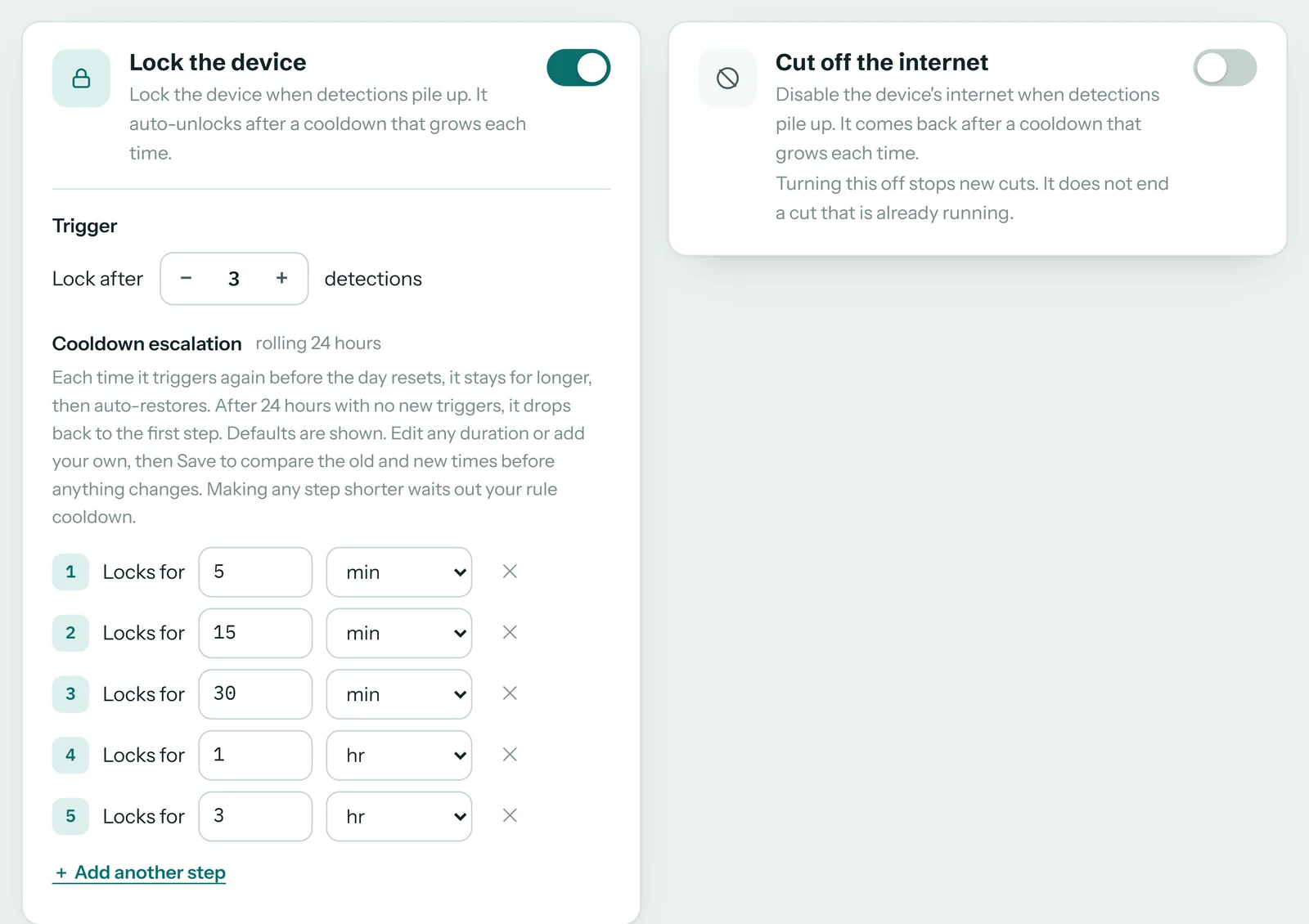
If detections keep happening, Kellet can escalate. With Lock after turned on, a device that racks up enough detections within about half an hour locks for 5 minutes the first time, then 15, then 30, then an hour, then 3 hours. You can change the steps. Cut the internet after works the same way, except the device keeps working offline. Both are off until you turn them on, and both count detections on each device separately, so a lock on one device leaves your others alone.
A lock ends when its time runs out. You can’t end it yourself. You can ask a partner to end it early, and if a lock is far longer than you meant or you have nobody to ask, Kellet support can end it. Write to us from the contact page. Your partners are told when support does.
Schedules
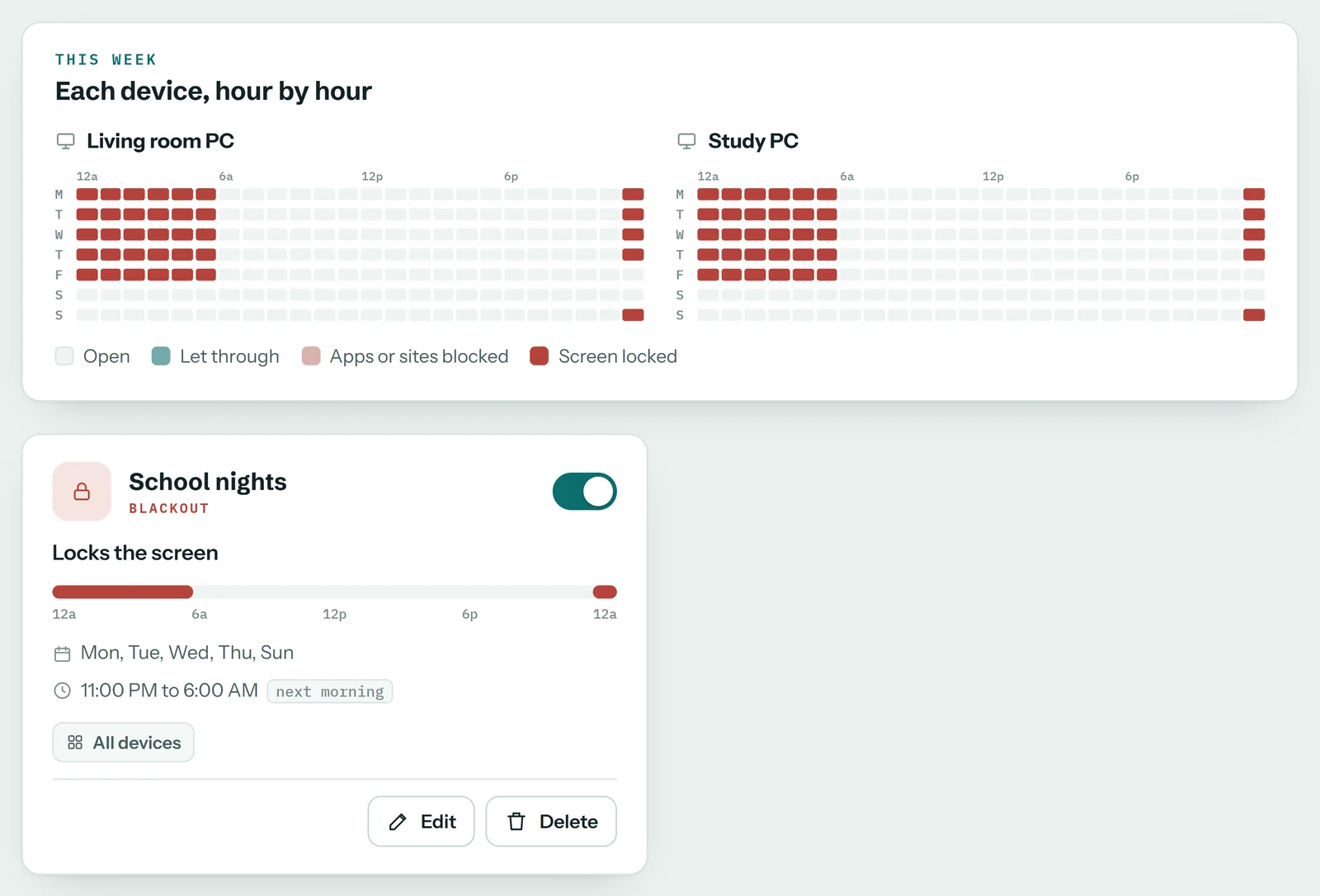
Schedules block things at set times. A Blackout either locks the screen or blocks apps and websites while the rest of the device keeps working. You might lock every device from 11 pm to 6 am on school nights, or block every website during working hours.
A Whiteout lets particular apps or sites through for a set time even though your rules would normally block them, such as classroom.google.com during school hours. It never blocks anything itself.
Adding a Blackout applies right away. A Whiteout opens a gap in your rules, so creating or widening one waits out your rule cooldown. Either kind can cover every device, including ones you add later, or only the ones you pick.
Cooldowns, and what has to wait
There are two cooldowns, both on the Cooldowns page. The rule cooldown covers loosening your rules, schedules and consequences. The uninstall cooldown covers removing Kellet from a device. They’re kept separate so a short rule cooldown never shortens the wait on removing Kellet. Each can be Off, 15 or 30 minutes, 1, 2, 6 or 12 hours, 1 day or 3 days, and the uninstall cooldown can also be a week.
Blocking a site or a category, adding a Blackout, turning on a lock or an internet cut, and making a cooldown longer all apply the moment you save. Unblocking something, allowing a category, adding a Whiteout, turning a schedule off, shortening a lock, adding the Let me through button and turning SafeSearch off all wait.
Say your rule cooldown is 30 minutes, and on Sunday you added reddit.com to Always blocked. On Tuesday night you want it back, so you remove the entry. Reddit stays blocked, and the entry shows Allowed in with a 30-minute countdown. When the countdown ends, nothing happens by itself. You have 24 hours to come back and press Apply, and if you don’t, the request lapses and Reddit stays blocked. We built it that way so the change is still your decision when the time comes. You can cancel a waiting change at any point, and cancelling is instant.
Shortening a cooldown is a loosening too, so it waits out the cooldown you’re shortening. Going from 6 hours to 30 minutes takes 6 hours. The wait is also fixed at the moment you ask, so lowering your cooldown later won’t speed up anything already in the queue.
Choose a length that outlasts the moment you’d want to undo something. If you’re not sure, start shorter, since raising it later applies at once and lowering it means waiting out whatever you set.
There’s a third, optional delay for partners. Partner removal makes removing a partner, or taking back something you let them change, take 1, 3 or 7 days. Only you can set it.
Kellet has no pause. You can’t switch blocking off for an hour or a day, and loosening anything goes through the cooldown. How cooldowns work lists everything that waits.
Partners
A partner is someone you trust to see what Kellet blocks. They don’t need a plan or a device of their own, and they never have to pay.
Every partner sees what was blocked, what was flagged and your app usage, from each device on your account. They see your browsing history only if you turn it on and allow it on the Web history page, and you can stop that at any time. If you choose to keep a blurred picture with a detection, only you can open it.
A partner can’t change anything unless you let them. There are four permissions you can give: changing your rules, your schedules, your consequences or your cooldowns. Anything a partner loosens still waits out your cooldown, and you’re told about every change they make.
The other thing a partner can do is let you out early, in two cases, and only when you ask: when a device is locked, and when you’ve asked to remove Kellet. They have to have been your partner for at least 7 days, and each early release restarts those 7 days for all of your partners, so it can happen at most once a week. The wait for a new partner is there so a second email address of your own can’t get you out any sooner than your cooldown would.
Partners get a summary of what was blocked, daily or weekly as they choose, with no pictures. They’re also told when a device is removed or stops reporting, and when your protection is about to end. Accountability partners covers inviting one.
Your devices
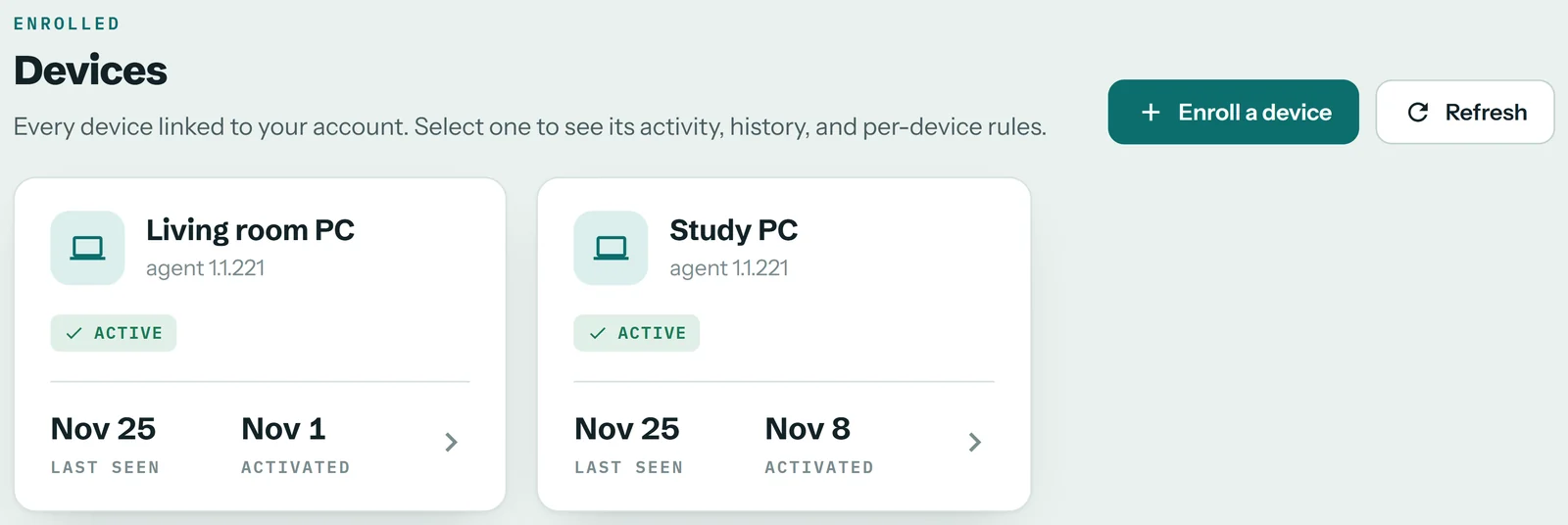
Kellet runs on Windows today, and Android arrives in Q4 2026. Every plan covers as many devices as you like.
A PC checks in with Kellet every minute. If one hasn’t checked in for 24 hours you’re told, and so are your partners. A PC that’s switched off is fine. One that has gone quiet while it’s in use is worth a look.
Removing Kellet
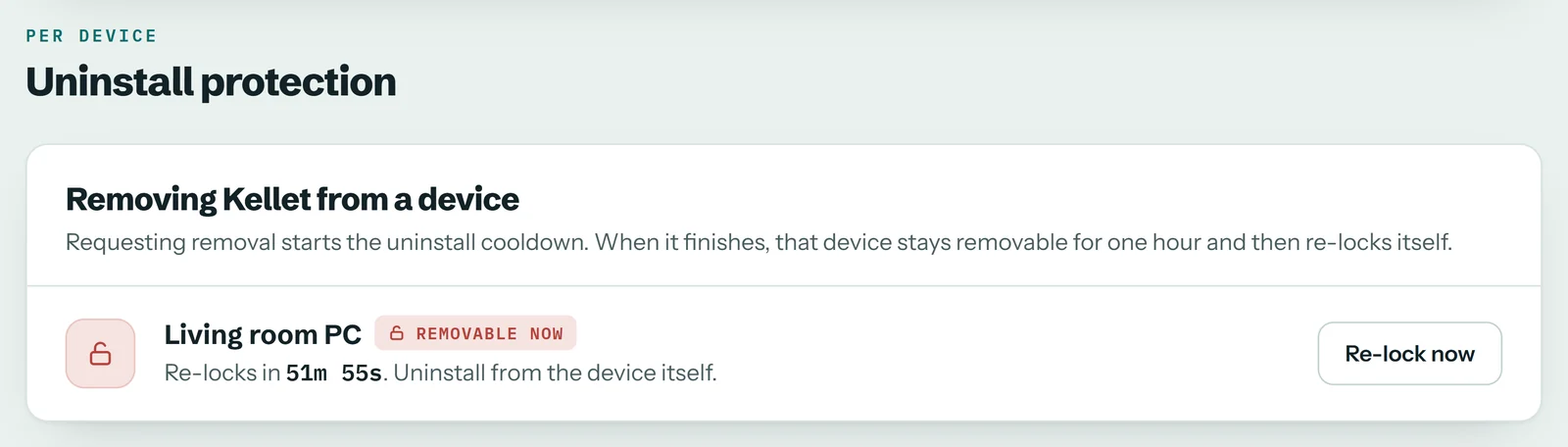
To remove Kellet from a PC, open Cooldowns and choose Request removal next to it. When your uninstall cooldown finishes, the PC shows Removable now and you have an hour to uninstall Kellet from Settings, then Apps. After the hour, it protects itself again. While the cooldown counts down, you can ask a partner to approve the removal early, or choose Cancel request.
If your trial or plan ends, blocking stops on each of your devices and Kellet can be removed with no wait. Deleting your account waits out your uninstall cooldown first, and Kellet keeps protecting your devices until then.
If a PC can’t reach Kellet for 30 days of being switched on, it releases itself, so a PC that has lost its connection for good can still be uninstalled.